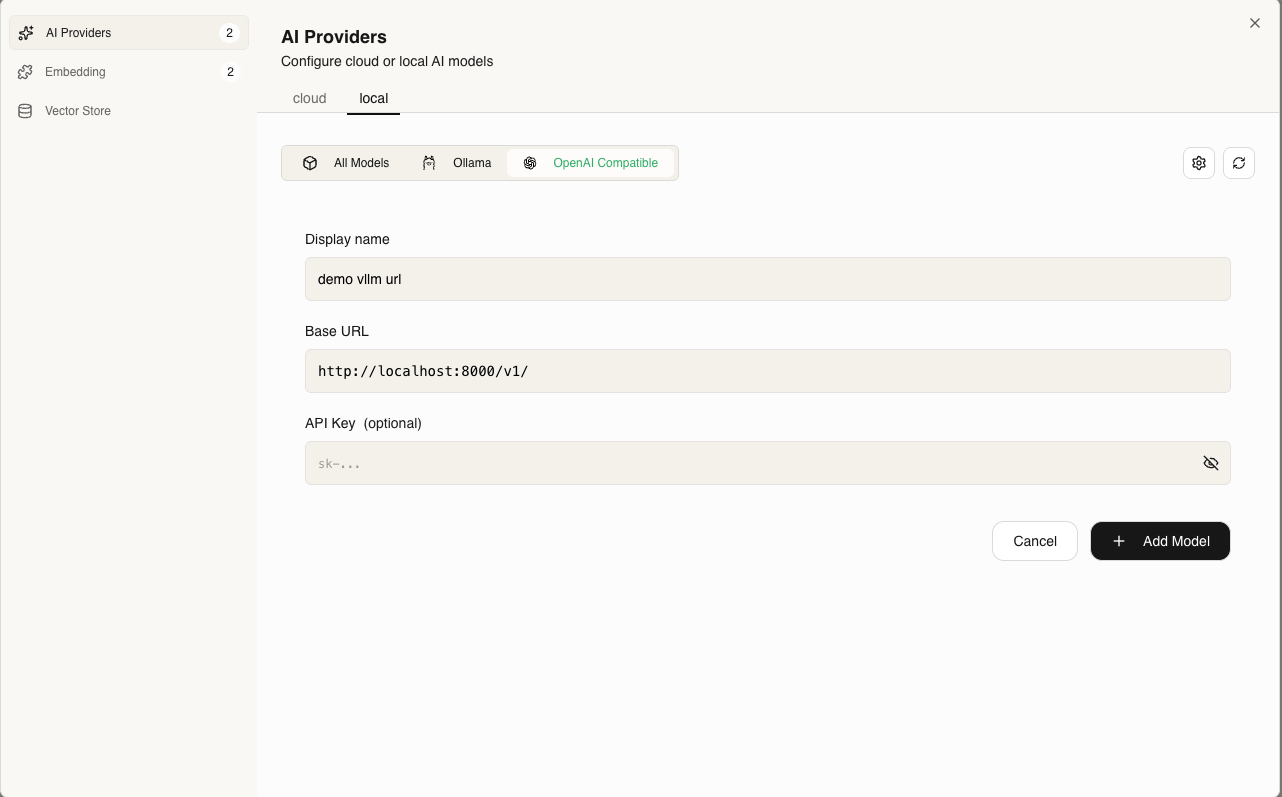

- AI Provider / LLM (Language model ): which will be used in chatting process
- Emebdding Provider: which will be used in Indexing process
AI Provider Setup
- Ollama (Local)
- Cloud Providers
- OpenAI-Compatible
1
Install Ollama
Download from ollama.com and start the service:
2
Configure in GAIA AI
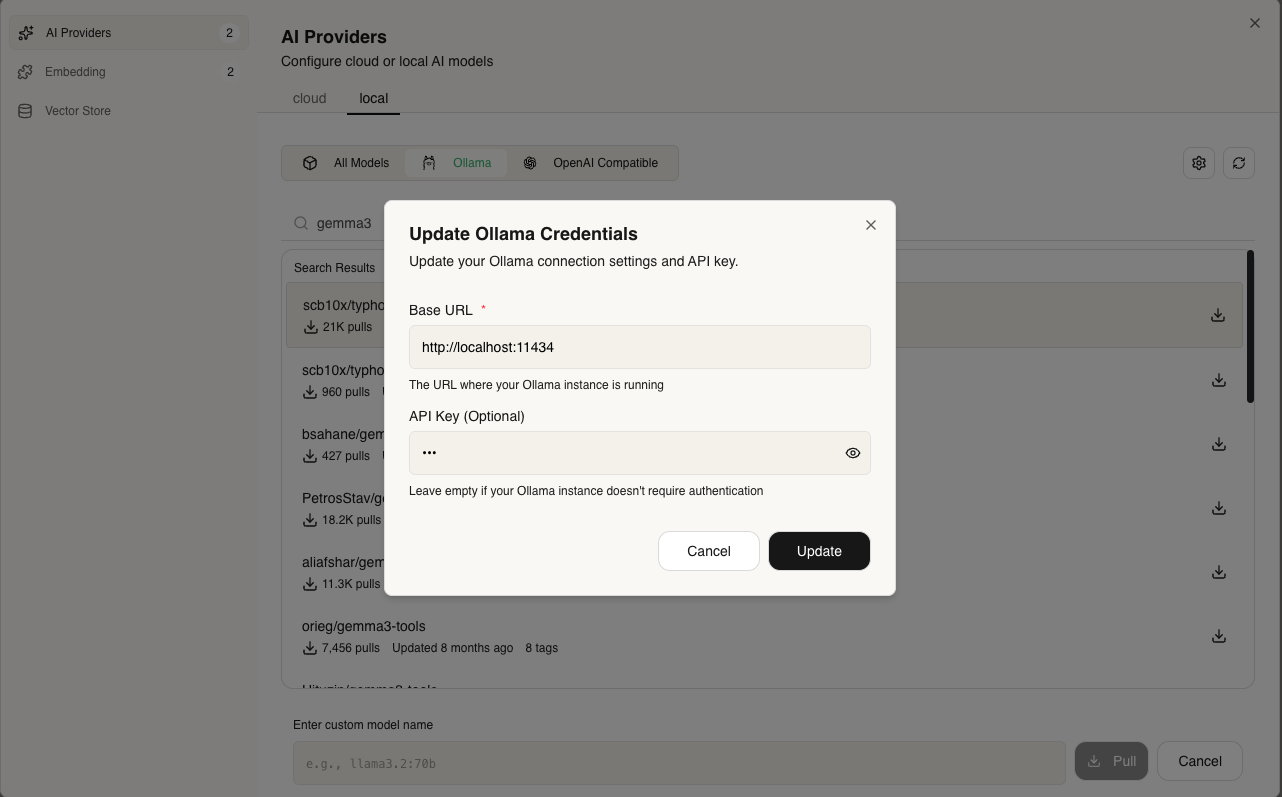
- Go to Credentials → AI Providers
- Select Local Tab
- Select Ollama provider
- Set URL:
- Local:
http://localhost:11434 - Docker:
http://host.docker.internal:11434
- Local:
- pull your model (e.g.,
llama3) - Done