> ## Documentation Index
> Fetch the complete documentation index at: https://gaia-docs.com/llms.txt
> Use this file to discover all available pages before exploring further.
# Introduction
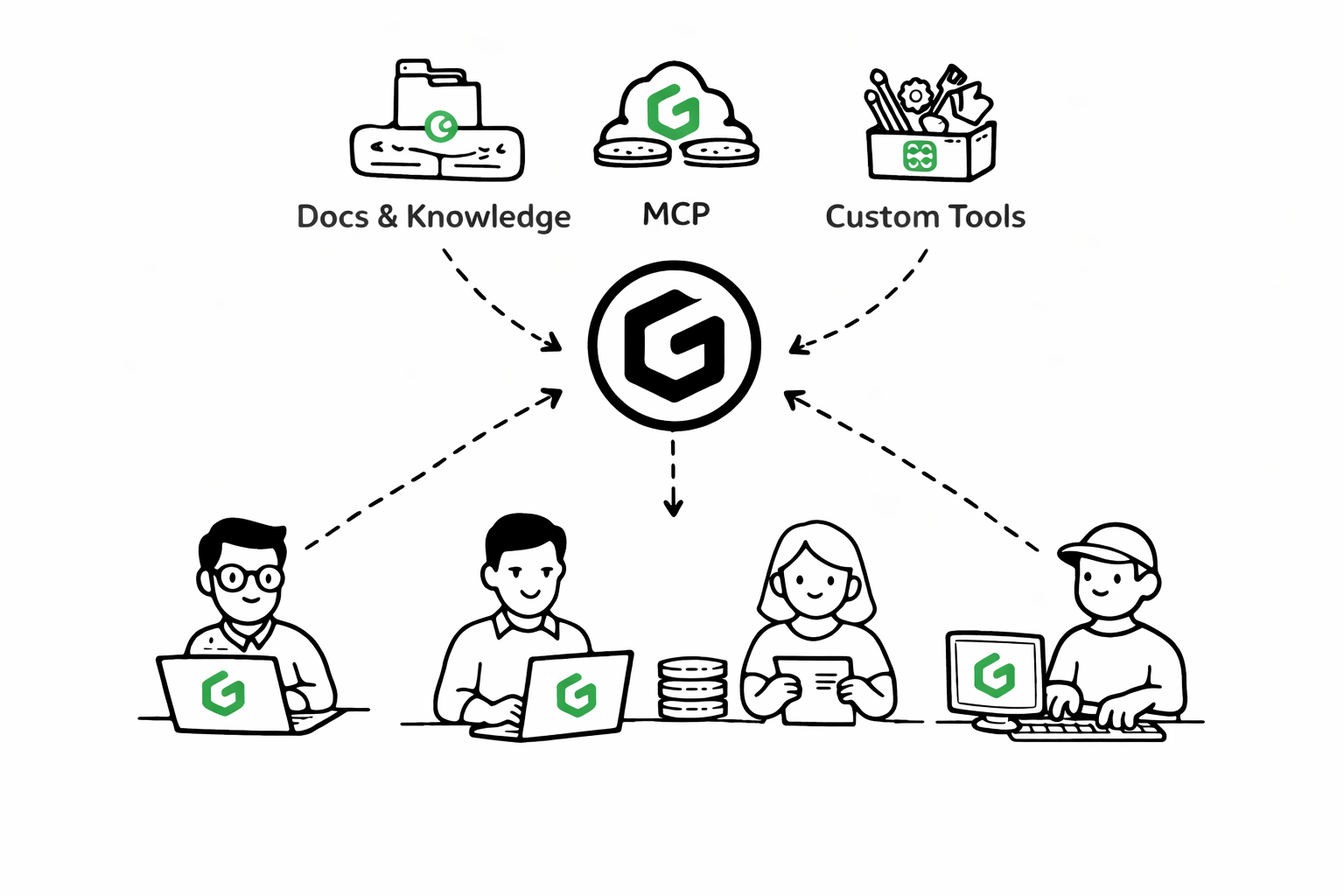
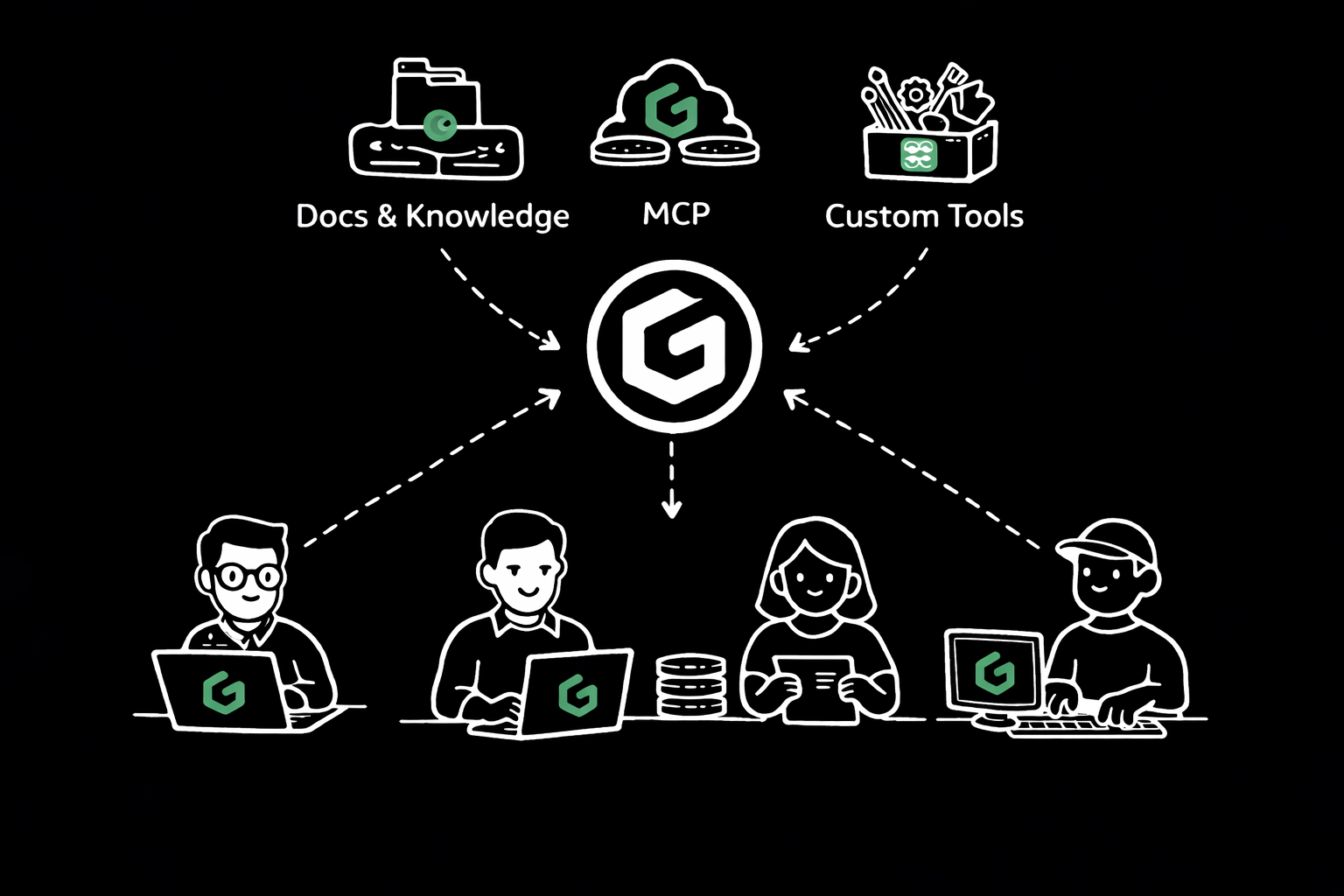 GAIA AI is an **open-source platform for building intelligent AI agents** that connect to your data, tools, and
[MCPs](https://modelcontextprotocol.io/docs/getting-started/intro)
. Whether you're building customer support bots, research assistants, or enterprise knowledge systems, GAIA AI gives you full control.
* **Knowledge integration** via RAG (Retrieval-Augmented Generation)
* **Tool connections** to APIs, databases, and services
* **MCP integrations** for external system communication
* **OpenAI-compatible APIs** for seamless integration
* **Local & Cloud** AI Models Providers
## Why GAIA AI?
Connect to 10+ AI providers (OpenAI, Anthropic, local models) through one unified interface. No need to rewrite code when providers change.
Built-in connections to vector stores (Pinecone, Qdrant, LanceDB, FAISS, ..) and full-text search (FlexSearch, MiniSearch, Orama). And customize retrieval parameters for your use case.
Compose agents from data sources, custom tools, and MCP integrations. Mix and match components to build exactly what you need.
Build your agent once, then access it headlessly via OpenAI SDK or Vercel AI SDK. Deploy anywhere with full API compatibility.
## Getting Started
Local dev or Docker setup
Build your first agent in 5 minutes
Use GAIA via API only
***
Ready to build your first AI agent? Start with the [Quick Start Guide](/quickstart).
GAIA AI is an **open-source platform for building intelligent AI agents** that connect to your data, tools, and
[MCPs](https://modelcontextprotocol.io/docs/getting-started/intro)
. Whether you're building customer support bots, research assistants, or enterprise knowledge systems, GAIA AI gives you full control.
* **Knowledge integration** via RAG (Retrieval-Augmented Generation)
* **Tool connections** to APIs, databases, and services
* **MCP integrations** for external system communication
* **OpenAI-compatible APIs** for seamless integration
* **Local & Cloud** AI Models Providers
## Why GAIA AI?
Connect to 10+ AI providers (OpenAI, Anthropic, local models) through one unified interface. No need to rewrite code when providers change.
Built-in connections to vector stores (Pinecone, Qdrant, LanceDB, FAISS, ..) and full-text search (FlexSearch, MiniSearch, Orama). And customize retrieval parameters for your use case.
Compose agents from data sources, custom tools, and MCP integrations. Mix and match components to build exactly what you need.
Build your agent once, then access it headlessly via OpenAI SDK or Vercel AI SDK. Deploy anywhere with full API compatibility.
## Getting Started
Local dev or Docker setup
Build your first agent in 5 minutes
Use GAIA via API only
***
Ready to build your first AI agent? Start with the [Quick Start Guide](/quickstart).